
Public preview · Pending editorial review
The disk is full. Where did the space go?
When df reports a full filesystem but du cannot find the missing space, a deleted file held open by a process is one possible explanation. Here is how to investigate without making the incident worse.
In this story
Find the gap before reclaiming space
Use the same mount for both views, then follow the evidence.
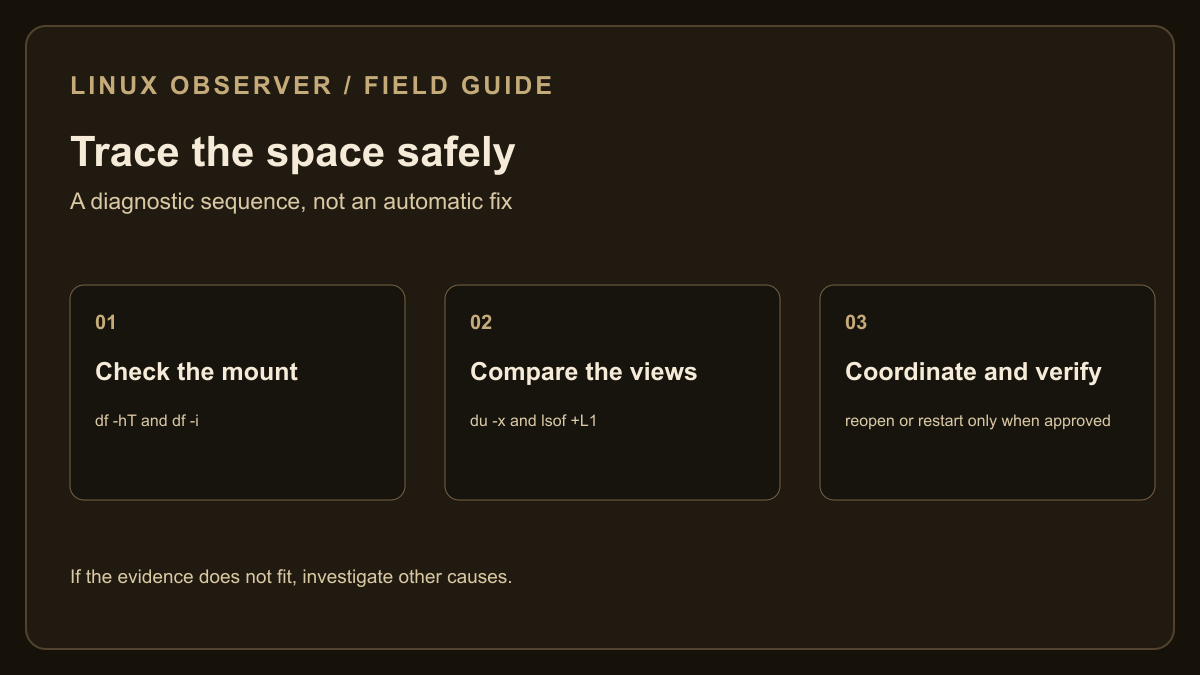
- Check the mount
df -hT and df -i show filesystem and inode usage for the affected path.
- Compare and investigate
du -x stays on the same filesystem; check the reasons its view can differ.
- Visible directories
Investigate the largest directories and scan errors.
- Unlinked open files
Use lsof +L1 and verify process, mount and file identity.
- Visible directories
- Coordinate and verify
Use an owner-approved reopen or restart if appropriate; confirm the descriptor closed and check df again.
Two tools, two different views
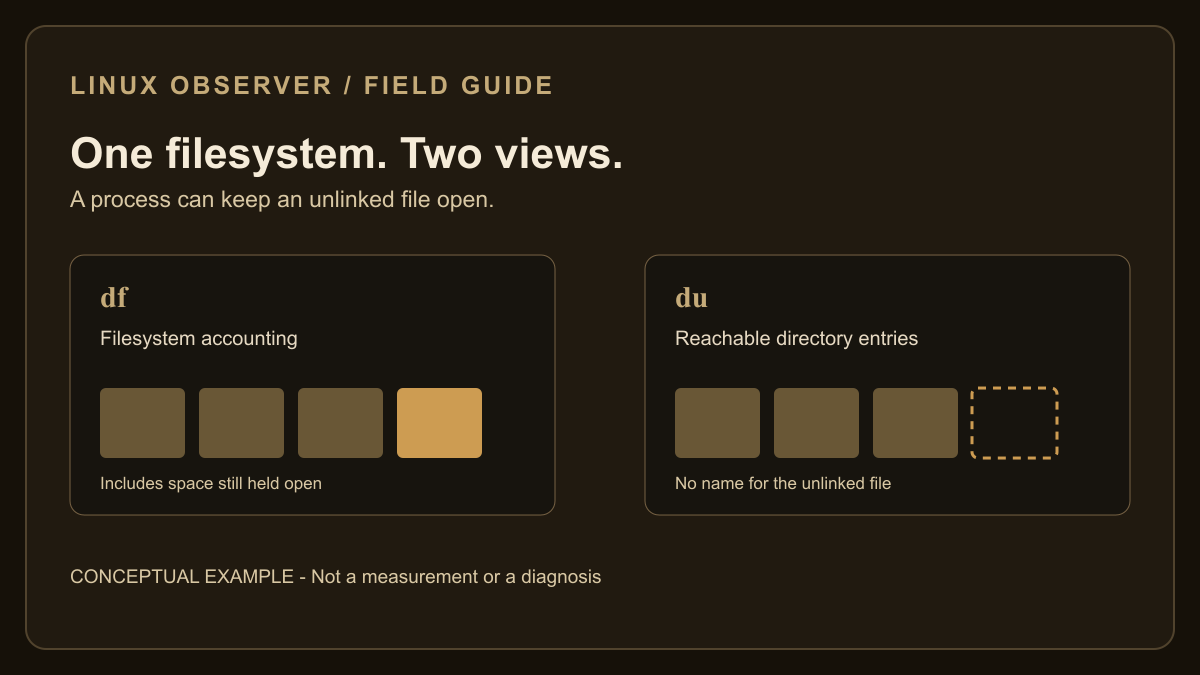
The commands answer different questions: df reports filesystem usage, while du totals the files it can traverse. A gap does not by itself prove a deleted file is responsible: mount points, permissions, snapshots, filesystem accounting and other factors can also matter. [1] [2]
One common possibility is an unlinked file that a process still has open. Removing the last directory entry does not release that file until its last open descriptor is closed. That can leave blocks in use even though a directory walk no longer sees the filename. [3]
Start with the affected filesystem
Identify the mount that is actually full before inspecting directories: df -hT /path and df -i /path show filesystem and inode usage for the path. Replace /path with the affected location. Inode exhaustion is a different problem from exhausted data blocks. [4]
Compare against sudo du -xhd1 /mount, using the actual mount point, not an unrelated directory. The -x option stays on one filesystem. A scan can be slow on a busy or large tree; permission errors and other mount or filesystem features can affect the comparison. [2]
Five checks before changing anything
Keep the service owner and incident procedure in the loop. These are diagnostic steps, not an instruction to delete files or restart a production service.
- Run df -hT /path and df -i /path for the affected path; identify the filesystem, mount and whether blocks or inodes are exhausted.Evidence: Timestamped filesystem and inode output for the affected mount.
- Run sudo du -xhd1 /mount against that same mount; inspect errors and compare the total with df. Check nested mounts and filesystem-specific accounting before concluding that a file is missing.Evidence: Directory totals, scan errors and the identified mount boundary.
- If a gap remains, run sudo lsof -nP +L1 and identify unlinked open regular files on the affected filesystem. Restrict results by filesystem and process identity; lsof can require privileges and may not see other namespaces.Evidence: The owning process, PID, file descriptor, filesystem and reported file size; avoid summing duplicate descriptors as independent files.
- Confirm the owning service, its log rotation or reopen procedure and the impact of closing the file. Coordinate a graceful reopen or restart only when the owner and incident plan permit it.Evidence: An approved action, the responsible service owner and a recovery or rollback plan.
- After the approved action, repeat df and the relevant lsof check; investigate other causes if usage does not fall. Check rotation configuration and alerting once the immediate risk is controlled.Evidence: Before-and-after filesystem usage and an observation that the relevant descriptor closed.
A disappeared name is not always the answer
lsof +L1 selects open files with fewer than one link. Its file size is not necessarily the allocated blocks and the same file may appear under several descriptors. Containers, mount namespaces, snapshots, reserved blocks and filesystem-specific behavior can complicate the picture. [5]
Do not truncate a process's open file descriptor or kill a process just to recover space: either can damage data or interrupt service. Prefer the application's documented log-reopen procedure, or an owner-approved restart with an impact assessment.
Sources and limits
- GNU Coreutils: df invocation Primary documentation for filesystem usage.
- GNU Coreutils: du invocation Primary documentation for file traversal and the one-filesystem option.
- Linux manual: unlink(2) Describes the lifetime of an unlinked file with open descriptors.
- Linux manual: df(1) Documents filesystem and inode reporting.
- Linux manual: lsof(8) Documents open-file listing and link-count selection; behavior and visibility depend on the environment.